CCTV Not Recording? Top Reasons & Easy Fixes

Few things are more frustrating than realizing your CCTV camera stopped recording right when you needed the footage most.

This is one of the highest searched CCTV problems in Bangalore—across homes, shops, apartments, and offices. The good news?
👉 Most CCTV recording issues are common, identifiable, and fixable—often without replacing the entire system.

This guide breaks down every major reason why CCTV cameras stop recording, how to diagnose the exact problem, and the right fix—from quick DIY checks to cases where professional help is required.

First: What Does “CCTV Not Recording” Actually Mean?

Different users mean different things. Let’s clarify:

  • ❌ No footage saved at all
  • ❌ Recording stopped suddenly
  • ❌ Cameras show live view but no playback
  • ❌ Some cameras recording, others not
  • ❌ Recording works but missing dates/times
  • ❌ Motion recording not triggering

Each symptom points to a different root cause.
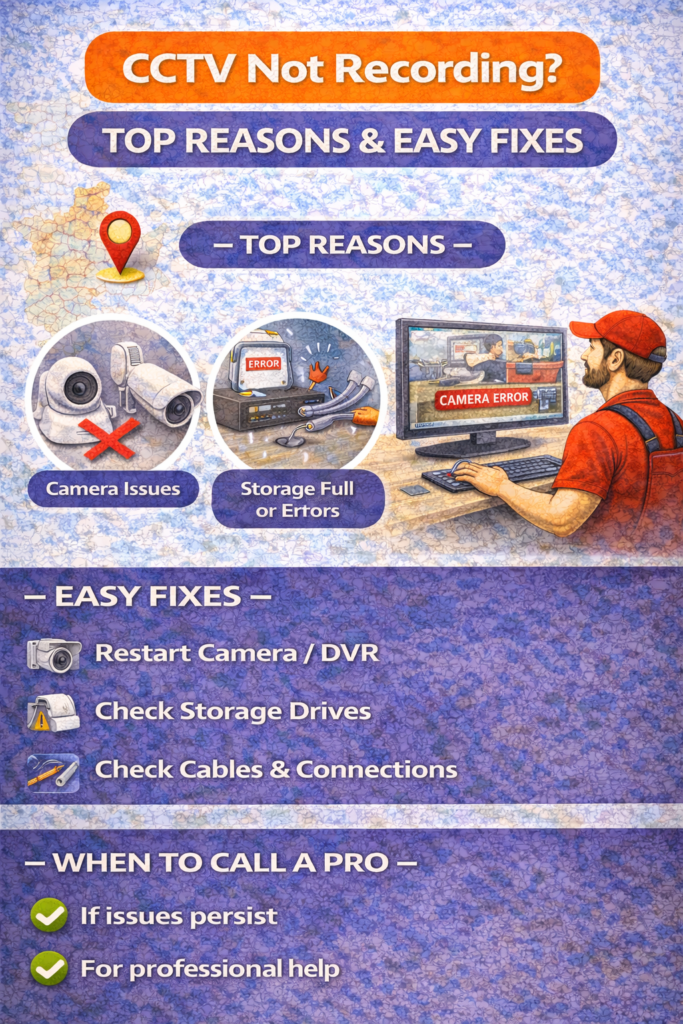
Top Reasons Why CCTV Cameras Stop Recording

1. Hard Disk (HDD) Failure – #1 Reason

This is the most common cause in Bangalore.

Why it happens:

  • HDD lifespan is typically 3–4 years
  • Continuous 24/7 recording causes wear
  • Power fluctuations damage disks
  • Cheap or fake hard disks used

Symptoms:

  • “No HDD detected” error
  • Recording stopped suddenly
  • Playback option missing
  • DVR/NVR beeping continuously

Fix:

✅ Restart DVR/NVR
✅ Check HDD status in menu
✅ Replace hard disk if health = bad
✅ Always use surveillance-grade HDD

👉 Do not use normal desktop hard disks for CCTV.

2. Power Supply Issues (Very Common)

Bangalore faces frequent voltage fluctuations, especially in older buildings.

Causes:

  • Loose power adapters
  • Faulty SMPS
  • Power surge damage
  • No UPS/inverter backup

Symptoms:

  • Recording stops after power cut
  • Cameras reboot randomly
  • DVR switches off unexpectedly

Fix:

✅ Check power adapter output
✅ Use stabilizer or UPS
✅ Connect CCTV to inverter line
✅ Replace damaged power supply

3. Incorrect Recording Settings

Sometimes the system is working perfectly—but configured wrong.

Common setting mistakes:

  • Recording schedule turned OFF
  • Motion recording enabled without sensitivity
  • Storage set to overwrite = OFF
  • Wrong channel selected

Symptoms:

  • Live view works
  • No footage saved
  • Only partial recordings available

Fix:

✅ Go to DVR/NVR → Recording Settings
✅ Enable continuous or motion recording
✅ Turn ON overwrite option
✅ Sync date & time

4. Hard Disk Full (Overwrite Disabled)

If overwrite is disabled, recording stops automatically once storage is full.

Symptoms:

  • Old footage available
  • No new recordings
  • Storage shows 100% used

Fix:

✅ Enable overwrite in storage settings
✅ Delete old footage manually
✅ Upgrade to higher-capacity HDD

5. Camera Signal Loss (One or More Cameras Not Recording)

This affects specific cameras, not the entire system.

Causes:

  • Damaged cable
  • Loose BNC / LAN connector
  • Moisture in outdoor cables
  • Rodent damage (very common)

Symptoms:

  • “No signal” message
  • Black screen for specific camera
  • Recording missing for one channel

Fix:

✅ Check cable continuity
✅ Re-crimp connectors
✅ Replace damaged wire
✅ Use conduit for outdoor cables

6. DVR / NVR Software (Firmware) Issues

Firmware bugs can stop recording silently.

Causes:

  • Outdated firmware
  • Failed update
  • Power loss during update

Symptoms:

  • Random freezing
  • Missing recordings
  • DVR hangs or restarts

Fix:

✅ Restart system
✅ Update firmware via authorized source
✅ Avoid unofficial firmware updates
✅ Factory reset (only if backed up)

7. Incorrect Date & Time Settings

This causes footage to record but appear “missing.”

Symptoms:

  • Footage exists but on wrong date
  • Playback timeline confusing
  • Events hard to find

Fix:

✅ Enable NTP (internet time sync)
✅ Set correct time zone
✅ Lock date & time settings

8. Motion Detection Not Working

Very common in WiFi and smart cameras.

Causes:

  • Motion sensitivity too low
  • Detection zone not selected
  • AI filter ignoring movement
  • Camera angle incorrect

Symptoms:

  • No alerts
  • No motion recordings
  • Only manual footage available

Fix:

✅ Increase sensitivity
✅ Redraw detection zones
✅ Disable unnecessary AI filters
✅ Reposition camera angle

9. Network / Internet Issues (For NVR & WiFi CCTV)

Affects remote viewing and cloud recording.

Causes:

  • Router reboot
  • IP conflict
  • Weak WiFi signal
  • ISP issues

Symptoms:

  • Local recording works
  • Mobile app shows offline
  • Cloud footage missing

Fix:

✅ Restart router & camera
✅ Use LAN instead of WiFi where possible
✅ Assign static IP
✅ Improve router placement

10. SD Card Failure (WiFi Cameras)

SD cards fail faster due to constant writing.

Symptoms:

  • Camera live view OK
  • “SD card error”
  • Recording stopped

Fix:

✅ Format SD card
✅ Replace with high-endurance SD card
✅ Avoid cheap memory cards

CCTV Recording Issues by System Type

Wired DVR Systems

Most common problems:

  • HDD failure
  • Power supply issues
  • Cabling damage

NVR Systems

Most common problems:

  • Network misconfiguration
  • IP conflicts
  • Firmware bugs

WiFi CCTV Cameras

Most common problems:

  • SD card failure
  • Internet dependency
  • App misconfiguration

Quick CCTV Recording Troubleshooting Checklist

Before calling a technician, check this:

☑ DVR/NVR power ON
☑ Cameras showing live view
☑ Hard disk detected
☑ Recording schedule enabled
☑ Overwrite option ON
☑ Correct date & time
☑ Storage space available

This alone solves 60% of cases.

When Should You Call a CCTV Technician?

Call a professional if:

  • Hard disk replacement needed
  • Internal DVR board failure
  • Cable replacement required
  • Firmware recovery failed
  • Multiple cameras offline

DIY fixes are good—but wrong handling can erase footage.

Preventive Tips to Avoid Recording Failure

✅ Use surveillance-grade HDD
✅ Connect CCTV to UPS/inverter
✅ Clean DVR/NVR ventilation
✅ Check recording monthly
✅ Replace HDD every 3–4 years
✅ Avoid cheap power adapters

Preventive maintenance = zero panic later.

FAQs – CCTV Not Recording

Usually due to HDD issues or recording settings disabled.

Yes—unless connected to UPS/inverter.

Yes. Internet is only for mobile viewing.

Depends on HDD size, camera count, and resolution.

In most cases, yes—unless recovered by specialists.

Final Thoughts

A CCTV system that isn’t recording is as good as no CCTV at all.

The key takeaway:

  • Most recording problems are predictable
  • Early detection saves footage
  • Maintenance matters more than brand

If your CCTV system hasn’t been checked in months, do it now—not after something goes wrong.

Book Now

© 2026 Created with CloudElixir