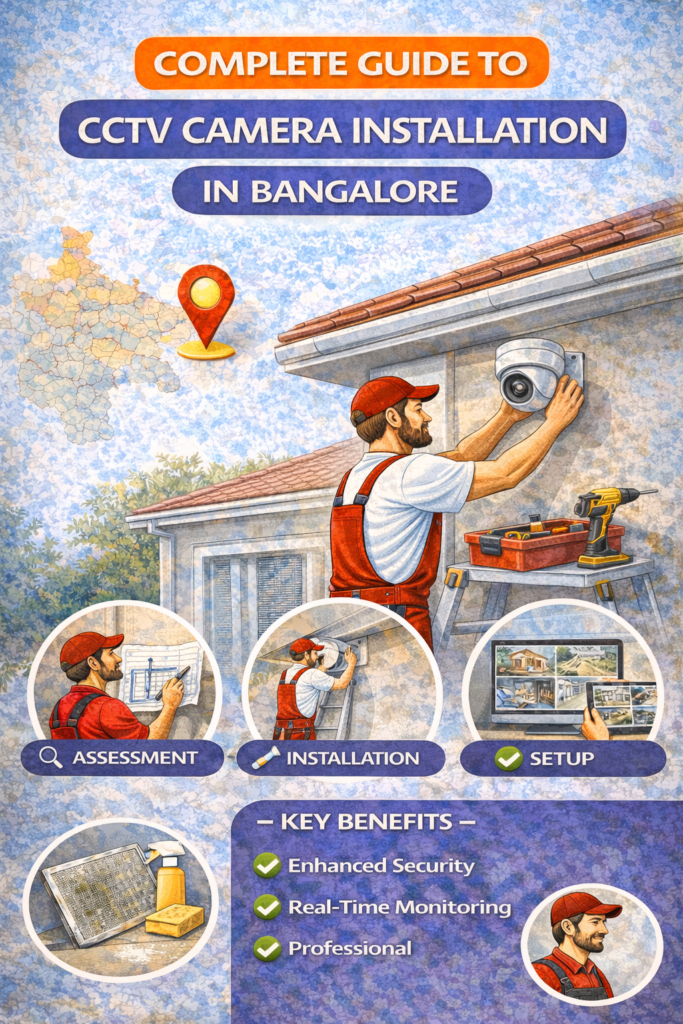
Complete Guide to CCTV Camera Installation in Bangalore
Security has shifted from being a luxury to a basic necessity—especially in a fast-growing city like Bangalore. With rising apartment living, independent houses, shops, offices, and gated communities, CCTV camera installation is now one of the most searched home and business security solutions in 2026.
This guide is designed to be the most complete, practical, and local-focused CCTV installation resource for Bangalore. Whether you’re a homeowner, shop owner, landlord, or facility manager, this blog will help you choose the right CCTV system, understand installation steps, avoid common mistakes, and make smarter security decisions.
Why CCTV Camera Installation Is Important in Bangalore (2026 Context)
Bangalore’s unique environment creates specific security challenges:
High population density in apartments
Frequent tenant movement in rental properties
Commercial hubs with 24/7 activity
Power fluctuations and internet dependency
Weather conditions affecting outdoor cameras
CCTV cameras in 2026 are no longer just “recording devices.” They are smart surveillance systems with mobile access, AI detection, night vision, cloud backup, and real-time alerts.
Key Benefits of CCTV Installation
Crime prevention and deterrence
24/7 monitoring of home or business
Evidence for theft, disputes, or incidents
Remote viewing from mobile anywhere
Improved safety for family, staff, and assets
Types of CCTV Cameras Used in Bangalore
Choosing the right camera type is the foundation of a successful CCTV installation.
1. Indoor CCTV Cameras
Best for:
Living rooms
Bedrooms (entry-facing only)
Office interiors
Shops and reception areas
Features:
Compact design
Wide-angle view
Two-way audio (in smart models)
Works well with WiFi
2. Outdoor CCTV Cameras
Best for:
Main gates
Parking areas
Building exteriors
Warehouses
Features:
Weatherproof (IP66/IP67)
Long-range night vision
Metal casing
Better motion detection
3. Bullet Cameras
Long and cylindrical
Visible deterrent
Ideal for outdoor monitoring
4. Dome Cameras
Compact and vandal-resistant
Common in apartments, malls, offices
Less noticeable direction of view
5. WiFi CCTV Cameras
No DVR wiring
Easy installation
Cloud or SD card storage
Ideal for homes and small shops
Wired vs Wireless CCTV Installation – What Works Best in Bangalore?
Wired CCTV Systems
Pros:
Stable recording
No internet dependency
Better for large properties
Cons:
Requires professional installation
More cabling work
Best for:
Apartments
Villas
Offices
Factories
Wireless / WiFi CCTV Systems
Pros:
Easy setup
Mobile viewing
Clean installation
Cons:
Internet dependent
Limited range
Best for:
Rental homes
Small shops
Temporary setups
Step-by-Step CCTV Camera Installation Process
Step 1: Site Inspection & Planning
A professional CCTV installation always starts with:
Entry/exit analysis
Blind spot identification
Lighting condition check
Power source availability
Internet router position
Step 2: Choosing Camera Quantity & Angles
Common setups:
2 cameras → Small flats
4 cameras → 2BHK / small shop
6–8 cameras → Villas, offices
16+ cameras → Commercial buildings
Correct camera angle prevents:
Face distortion
Missed coverage
False motion alerts
Step 3: Camera Mounting
Wall or ceiling mounting
Height between 8–10 feet
Avoid direct sunlight and reflections
Secure brackets to prevent tampering
Step 4: Cabling & Power Connection
For wired systems:
Concealed or casing wiring
Power adapter placement
DVR/NVR connection
For WiFi cameras:
Stable power socket
Strong router signal
Step 5: DVR / NVR Setup
Hard disk installation
Recording mode selection
Date & time sync
Motion detection setup
Step 6: Mobile App Configuration
App installation (Android / iOS)
QR code or IP linking
Live view + playback setup
Notification alerts
Step 7: Testing & Optimization
Day & night testing
Motion alert accuracy
Camera clarity check
Storage verification
CCTV Installation Cost in Bangalore (Overview)
Costs depend on:
Number of cameras
Camera quality
Installation complexity
Wired vs wireless
Average Range (2026):
Basic home setup: ₹6,000 – ₹12,000
Apartment full coverage: ₹15,000 – ₹30,000
Commercial setup: ₹25,000+
Common CCTV Installation Mistakes to Avoid
❌ Installing cameras too high or too low ❌ Covering unnecessary areas ❌ Ignoring night vision range ❌ Poor cable management ❌ No UPS or power backup ❌ Weak WiFi placement
Avoiding these mistakes improves:
Video clarity
Recording reliability
System lifespan
Legal Rules for CCTV Installation in Bangalore
Important guidelines:
Do not point cameras into neighbors’ private areas
Avoid recording inside tenant bedrooms
Inform staff or residents about CCTV usage
Follow apartment association guidelines
CCTV is legal—but privacy violations are not.
Best CCTV Brands Popular in Bangalore (2026)
Hikvision
CP Plus
Dahua
Godrej Security
TP-Link (WiFi cameras)
Imou
(Brand selection depends on use case, not popularity.)
Maintenance Tips for CCTV Systems
Clean lenses every 2–3 months
Check cables for wear
Test night vision monthly
Update firmware annually
Replace hard disk every 3–4 years
Regular maintenance ensures zero downtime.
FAQs – CCTV Camera Installation in Bangalore
Most home installations are completed within 2–4 hours.
Only if connected to UPS or inverter.
Yes, with mobile app setup and internet access.
Yes, for homes—but wired systems are more stable for large areas.
1TB HDD stores approx. 15–30 days for 4 cameras.
Final Thoughts
CCTV camera installation in Bangalore is no longer about just “adding cameras.” It’s about strategic placement, correct technology, and professional execution.
A well-installed CCTV system:
Protects your property
Gives peace of mind
Acts as a silent security guard 24/7
If you’re planning to install CCTV cameras in 2026, use this guide as your baseline decision framework.